Review, schedule, and publish
Move work through a consistent human review, protect the public site from half-finished copy, and leave a useful record for the newsroom.
- Editor workspace
- Review Queue
- Changes need
- A note to the assignee
- Automatic publishing
- Requires the server scheduler
Read the queue
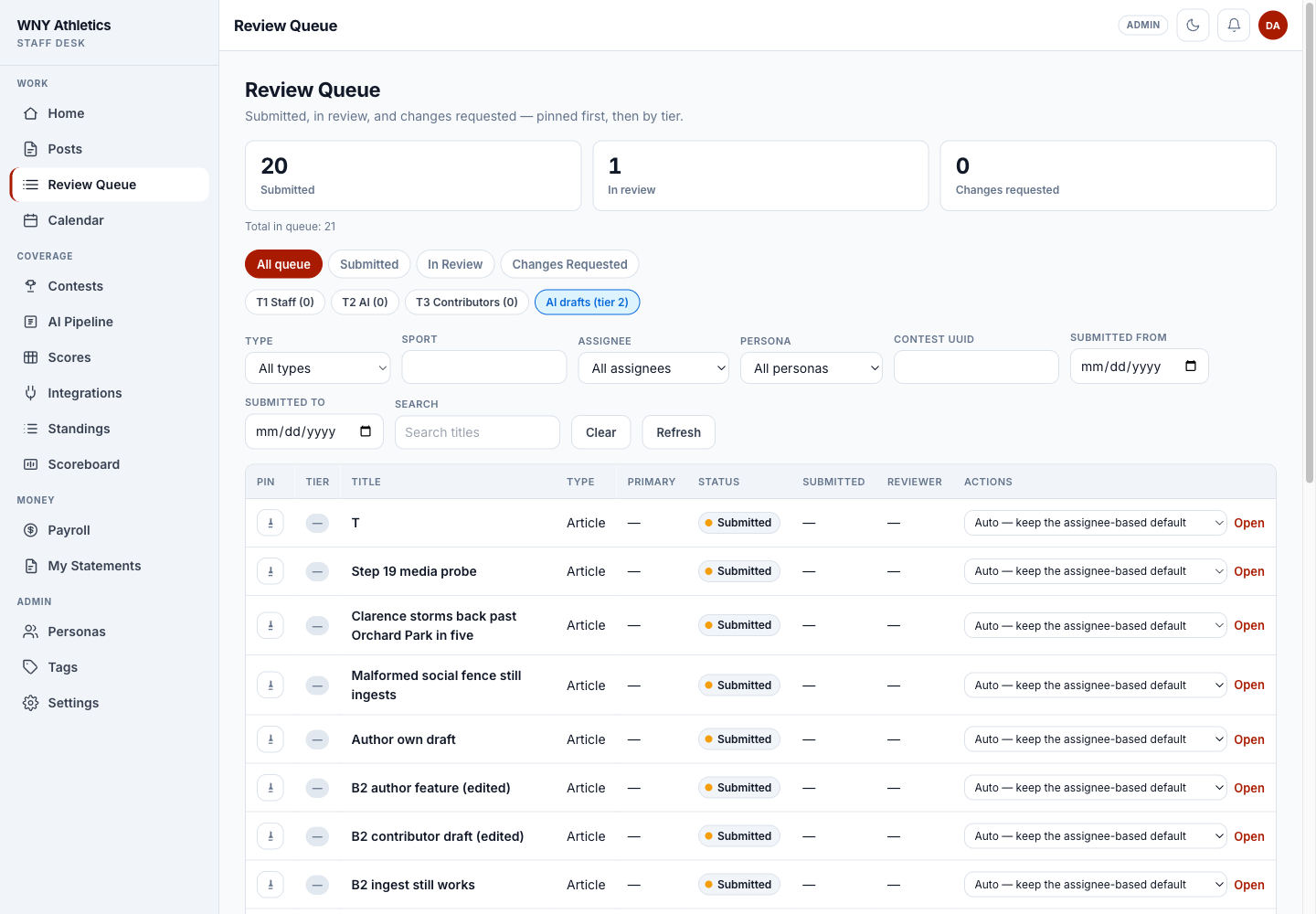
Review Queue contains Submitted, In Review, and Changes Requested work. Pinned items sort first, then the review tier. Filters can narrow by post type, sport, assignee, persona, contest, date, or title.
AI-assisted drafts have their own queue marker. That marker is a review aid, not permission to skip normal sourcing and editing.
-
Status totals show how much work is Submitted, In Review, or waiting on changes.
-
Tier and AI-draft filters expose the queue order.
-
Combine editorial filters when the queue is busy.
-
Open takes the editor to the full post and review controls.
Run the review
-
Open the post and start review
Starting review records the editor and changes the status to In Review. Simply loading a post does not claim it.
-
Read the assignment and source context
Confirm the contest link, writer/persona, genre, intended date, and any notes before changing copy.
-
Edit for accuracy first
Verify headline, score, names, school spellings, chronology, links, and media. Then edit for pace, tone, and platform fit.
-
Check the public presentation
Use preview at desktop, tablet, and mobile widths when the post includes a designed layout, embed, or prominent image.
-
Confirm assignments and pay implications
Publishing creates payables for active human assignments. Make the byline and role list correct before the final action.
Choose the next status
- Request changes — sends the item back with a required note explaining what the assignee should fix.
- Approve — marks the editorial review complete without publishing yet.
- Schedule — stores an approved publish time. The server scheduler must be running for it to go live automatically.
- Publish — makes the post public immediately and triggers publish-time notifications and eligible payables.
- Reject — ends a pre-publication item and requires a note. An admin may later reinstate it to Draft.
- Archive — removes published work from the active newsroom workflow while preserving the record.
- Unpublish — moves a published post back into the desk so it can be corrected or reconsidered.
Schedule or publish
-
Set the intended date first
The intended date controls planning and Calendar placement. It is not the same as an approved scheduled time.
-
Choose Schedule and enter a time
The item moves to Scheduled. If the time changes, update it before the scheduler runs.
-
Confirm the publishing scheduler
Automatic publishing comes from the trusted server task that runs publish-scheduled.php. Opening the queue does not publish due items.
-
Use Publish for a live-now decision
The system asks for confirmation because this action affects the public page, notifications, and payroll.
Verify after publishing
- Open View article and confirm the canonical public URL loads.
- Check headline, deck/excerpt, byline, date, image, links, and embeds on the public page.
- Confirm the story appears only in the intended news/tag listings.
- Review the Social tab or Social Desk and copy the correct platform suggestion.
- If a post was linked to a contest, confirm Calendar/coverage-gap status now reflects published coverage.
- If the work is paid, spot-check Payroll → Payables for the correct human assignments and rates.
Frequently asked questions
Does opening a post move it to In Review?
No. The editor must use the review action. Reading detail alone has no workflow side effect.
Why does Request changes require a note?
The note is part of the editorial record and tells the assignee exactly what must change.
Will a scheduled post publish if nobody opens News Desk?
Yes, but only when the server’s scheduled-publishing command is installed and running.
Does republishing create a second payable?
No. Publish-time payables are designed to be idempotent for the same post assignment.