Plan coverage with the calendar
Turn the sports schedule into a newsroom plan and spot final contests that still need coverage.
- Planning date
- Intended publish date
- Game source
- Contests
- Missing recap view
- Coverage gaps
Read the calendar
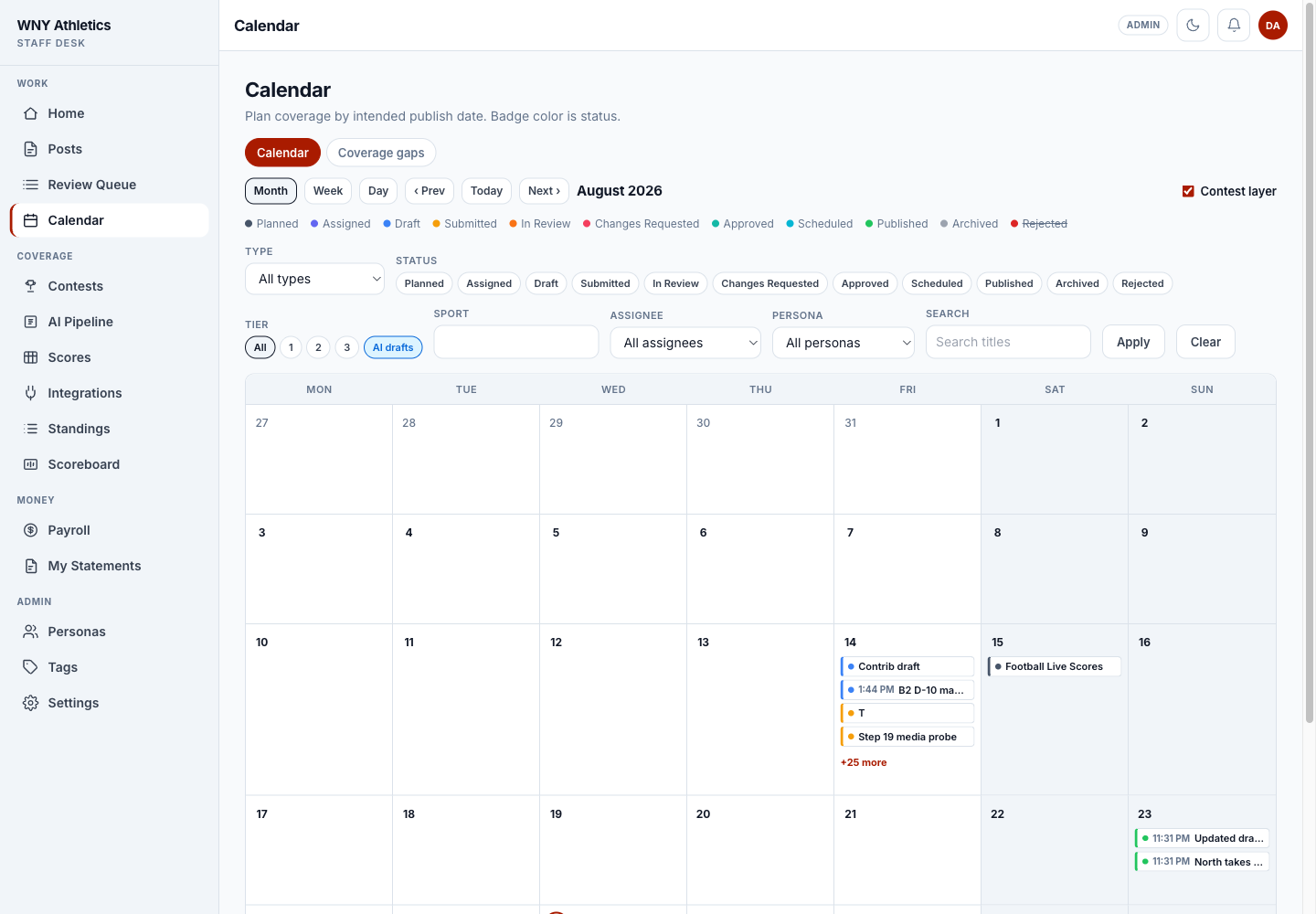
Calendar places each post on its intended publish date. If that is blank, it falls back to the published date, linked contest date, or creation date. Badge color follows workflow status.
Month, Week, and Day views share the same filters. Editors can add a contest layer so games and content plans are visible together.
-
Switch among Month, Week, and Day and move through dates.
-
Contest layer overlays the game schedule for planning.
-
Filter by status, type, sport, assignee, persona, tier, or search.
-
Colored cards show the workflow status on the intended date.
Plan a week
-
Show the contest layer
Review the slate and identify rivalry games, championships, streams, features, and expected high-interest results.
-
Create planned items
Editors can create Planned posts for coverage that needs an assignment later. Link the contest and set an intended date.
-
Assign the right format and staff
Choose recap, preview, roundup, feature, broadcast, podcast, interview, or highlight work based on the editorial plan.
-
Balance the board
Filter by assignee or persona and move dates before the desk becomes overloaded.
-
Use Week view for handoff
A week view makes tomorrow’s deadlines and missing assignments easier to discuss in a desk meeting.
Maintain contests
Contests holds seasons and games used by planning and the recap pipeline. A High School Sports season has a source URL. Fetch updates matching games, flags missing upstream games as stale, and does not delete them automatically.
-
Create or select a season
Use a clear name, sport, term, year, and High School Sports source URL when the season is feed-backed. Manual leagues may leave the source URL blank.
-
Fetch the season
The fetch adds new games and updates existing games by their stable contest identity.
-
Review stale rows
Stale means a previously fetched contest did not appear in the latest response. Confirm a cancellation, source change, or upstream correction before editing.
-
Fetch supplemental details for finals
Supplemental results, statistics, rosters, and coach comments feed recap production when available.
-
Use manual contests carefully
Manual rows are appropriate for uncovered leagues or one-off corrections. Do not duplicate a game already owned by a feed.
Work coverage gaps
A coverage gap is a final contest in the configured recent-day window with no linked, non-rejected post. A linked planned or draft item counts as planned coverage; published or archived work counts as covered.
- Confirm the contest is truly final and not a duplicate or stale feed row.
- Search Posts before creating anything.
- When coverage exists, connect the existing post to the contest.
- When coverage is still needed, create a planned or draft item from the gap.
- When no story is warranted, leave an editorial note or resolve the underlying contest data according to desk policy.
Frequently asked questions
Why is a post on the wrong calendar day?
Check Intended publish first. If it is blank, Calendar uses later fallbacks such as published date, linked contest date, or created date.
Does a season fetch delete canceled games?
No. Missing feed games are flagged stale for editor review rather than deleted.
What makes a contest “planned”?
Any linked, non-rejected post that is not yet published or archived counts as planned coverage.
How far can Calendar load at once?
The API limits a single range to 62 days; use Month or Week views instead of trying to load a season at once.