Skip to guide content
WNY Athletics News Desk Handbook
Browse all guides
WNY Athletics staff handbook

Run the desk with confidence.

Practical, newsroom-first guidance for planning coverage, writing and editing stories, publishing scores and standings, promoting the work, and keeping the operation organized.

Choose your lane

Start with the work in front of you.

The handbook is organized around newsroom responsibilities, not software terminology. Pick the section closest to your shift.

The newsroom rhythm

From assignment to audience.

Most coverage follows the same six beats. The tools change, but the handoffs do not.

  1. 01Plan

    Contest, date, angle, and assignment.

  2. 02Create

    Copy, media, tags, and social notes.

  3. 03Review

    Desk edit, changes, and approval.

  4. 04Publish

    Now or on the approved schedule.

  5. 05Promote

    Social, broadcast, and podcast follow-up.

  6. 06Reconcile

    Verify the public result and payroll.

At a glance

Your shift board.

The Home screen brings together personal assignments, editor workload, notices, and upcoming coverage. What appears in the navigation depends on your role.
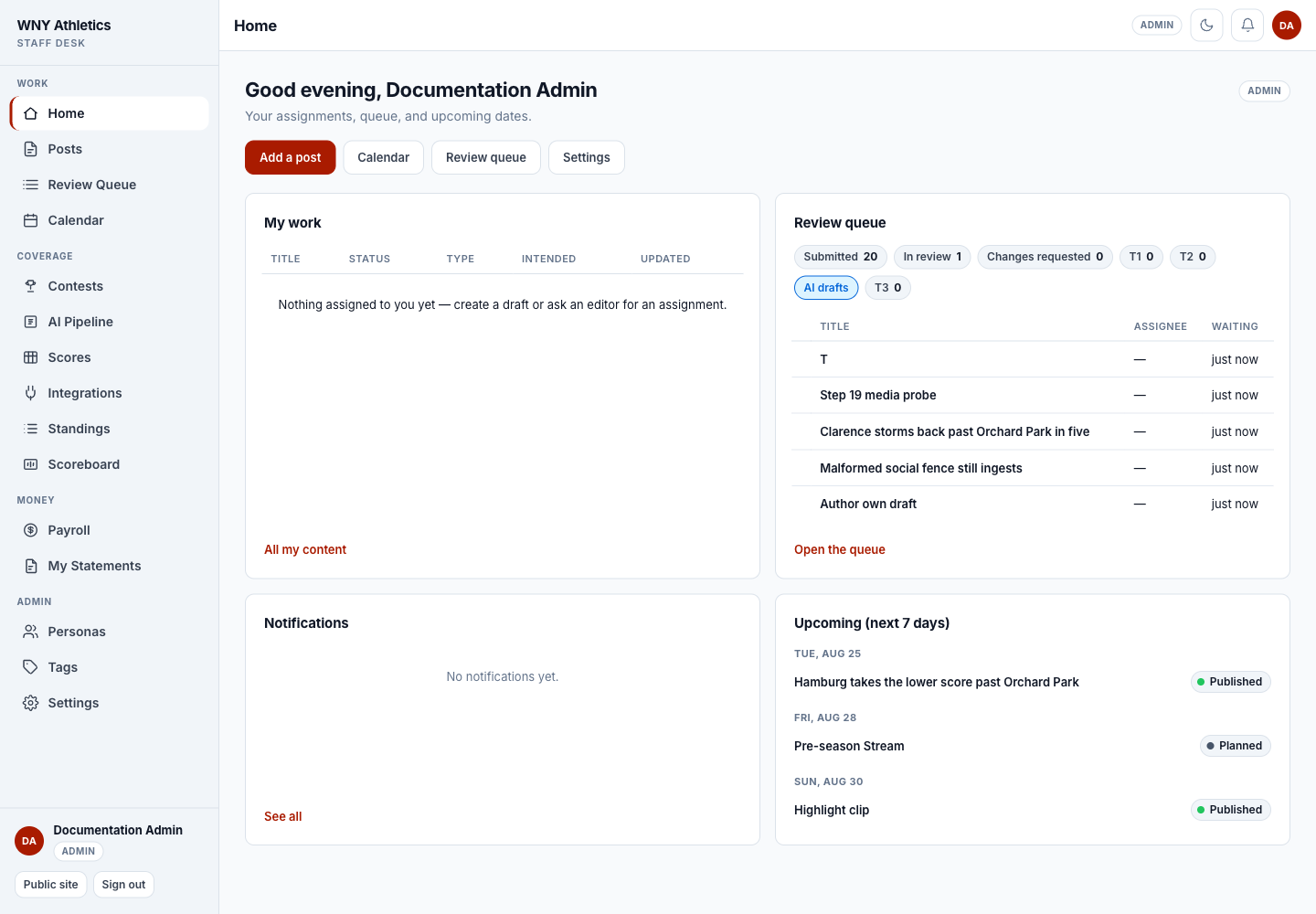
WNY Athletics News Desk home screen showing the navigation, quick actions, personal work, review queue, notifications, and upcoming coverage
News Desk Home is the best place to begin a shift. The Start with News Desk guide includes an annotated tour.
Complete handbook

All News Desk guides.

Use the search field above or browse every guide below. Each article includes checklists, clear handoff points, troubleshooting advice, and links to the next job.

Start here

Start with News Desk Tour the staff desk and follow a practical shift-opening checklist. 7 min Access and staff roles Know what contributors, staff authors, editors, and admins can do. 8 min Read your statement Open My Statements, pick a date range, and print a record of payables and payments. 6 min

Writing and publishing

Write and edit a post Create stories, upload files, tag coverage, add social copy, and assign the team. 12 min Format stories with Markdown Write headings, lists, links, and emphasis in post bodies and recap files. 8 min Use the media library Upload images and PDFs, edit alt text and credit, and reuse files on posts. 7 min Review, schedule, and publish Work the review queue, request changes, approve, schedule, publish, and unpublish. 12 min Plan coverage with the calendar Use contests, intended dates, assignments, and coverage gaps to plan the week. 10 min Social, broadcasts, and podcasts Prepare platform copy and keep the public broadcast schedule and podcast listings current. 10 min

Scores and data feeds

Connect High School Sports Set up and test the private High School Sports feed without exposing its token. 11 min Run the scoreboard and score feeds Publish sport filters, refresh HSS games, add manual scores, and manage full score-file swaps. 13 min Publish standings Create HSS, manual, or hybrid standings pages and control their public grouping. 9 min Run the AI recap pipeline Export final contests, produce recaps, import them, and hand every draft to an editor. 12 min Review photo submissions Accept community photos into the media library or reject a set and remove the files. 6 min

Administration

Manage staff, personas, and tags Give staff the right desk access and keep bylines and coverage labels organized. 11 min Customize post types Create or edit a post type, design its editor layout and public template, then enable it for staff. 10 min Set up advertisers and campaigns Add advertisers, creatives, and zones, then book campaigns so ads appear on the website. 9 min Manage payroll and statements Set rates, review payables, record payments, correct allocations, and export reports. 12 min Settings and troubleshooting Configure post types and desk defaults, then diagnose the most common handoff issues. 14 min